Windows vs macOS Which Operating System is Right for You
Deciding between Windows and macOS? This guide compares features, user experience, and software compatibility to help you choose.
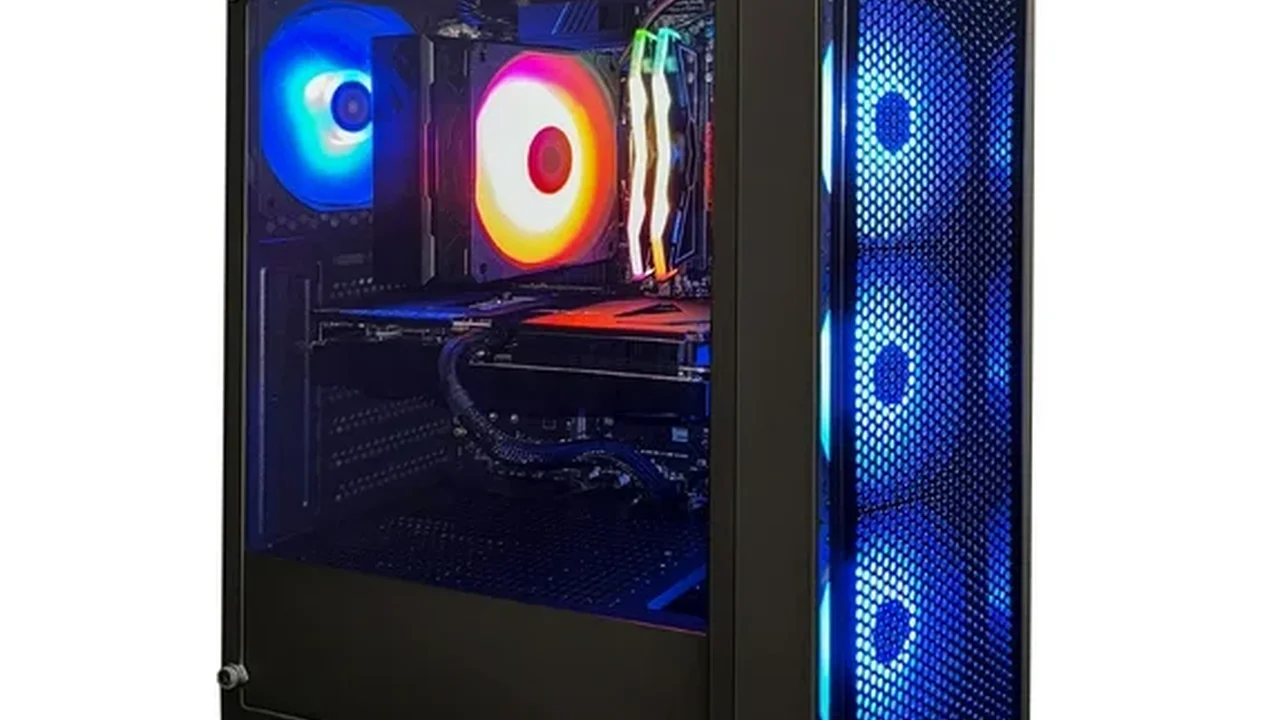
Deciding between Windows and macOS? This guide compares features, user experience, and software compatibility to help you choose.
Windows vs macOS Which Operating System is Right for You
Hey there, tech enthusiasts! Ever found yourself staring at a new laptop, wondering whether to go with a Windows machine or a sleek MacBook? You're not alone. This is one of the oldest and most debated questions in the tech world. Both Windows and macOS have their die-hard fans, and for good reason. They both offer fantastic computing experiences, but they do it in very different ways. So, let's dive deep and break down the pros and cons of each, helping you figure out which operating system is the perfect fit for your digital life.
Understanding the Core Differences Windows vs macOS Ecosystems
At its heart, the choice between Windows and macOS often comes down to the ecosystem. Think of it like choosing between two different neighborhoods. Windows, primarily developed by Microsoft, is like a bustling metropolis. It's everywhere, runs on countless different hardware configurations from various manufacturers, and offers unparalleled flexibility. macOS, on the other hand, is Apple's proprietary operating system, exclusively running on Apple's own hardware – MacBooks, iMacs, Mac Minis, and Mac Studios. This tight integration between hardware and software is a hallmark of the Apple experience.
Hardware Variety and Price Point Windows Dominance
When it comes to hardware, Windows is the undisputed king of variety. You can find Windows laptops and desktops from a dizzying array of manufacturers like Dell, HP, Lenovo, Acer, Asus, Microsoft (with their Surface line), and many more. This means you have an incredible range of price points, designs, specifications, and features to choose from. Want a budget-friendly laptop for basic tasks? Windows has you covered. Need a high-end gaming rig with multiple GPUs? Windows is your go-to. Looking for a convertible 2-in-1 device? Plenty of Windows options. This vast selection often translates to more competitive pricing, making Windows machines generally more accessible across different budgets, especially in the US and Southeast Asian markets where affordability is a key factor for many consumers.
For example, you can snag a decent Windows laptop like the Acer Aspire 3 for around $400-$600, perfect for students or light office work. If you're a professional needing more power, a Dell XPS 15 or a Lenovo ThinkPad X1 Carbon might set you back $1500-$2500, offering premium build quality and performance. Gamers often gravitate towards brands like ASUS ROG or MSI, with high-spec machines easily reaching $2000-$4000 or more.
Apple's Premium Hardware and Integrated Experience macOS Advantage
Apple's approach is different. macOS only runs on Apple hardware. This means less choice in terms of manufacturers, but it also means a highly optimized and integrated experience. Apple designs both the hardware and the software, allowing them to fine-tune everything for maximum performance and efficiency. This often results in excellent battery life, smooth performance, and a consistent user experience across all Mac devices. However, this premium integration comes at a premium price. MacBooks and iMacs are generally more expensive than comparable Windows machines, especially at the entry-level.
For instance, an entry-level MacBook Air M2 starts around $1000-$1200, while a more powerful MacBook Pro M3 can easily go upwards of $1600-$2500, or even higher for top-tier configurations. While the initial investment is higher, many users find the longevity, resale value, and seamless ecosystem integration worth the cost.
User Interface and User Experience Navigating Your Digital World
The look and feel of an operating system significantly impact your daily interactions. Both Windows and macOS have evolved over decades, offering sophisticated and user-friendly interfaces, but with distinct philosophies.
Windows Familiarity and Customization for Diverse Users
Windows, particularly Windows 10 and 11, offers a highly customizable and familiar interface for many users. The Start Menu, taskbar, and desktop icons are instantly recognizable. Windows 11 introduced a more centered taskbar and rounded corners, giving it a modern, sleek look while retaining its core functionality. You have a lot of control over how your desktop looks and behaves, from themes and wallpapers to widget placement and taskbar settings. This level of customization appeals to users who like to tailor their environment precisely to their preferences. For many, especially those who grew up with Windows, the learning curve is minimal.
macOS Elegance and Simplicity for Creative Professionals
macOS is renowned for its elegant, intuitive, and aesthetically pleasing interface. The Dock, Menu Bar, and Finder are central to its design. Apple prioritizes simplicity and a clean look, often with subtle animations and consistent design elements across applications. Features like Mission Control for managing windows, Spaces for virtual desktops, and Quick Look for instant file previews contribute to a highly efficient workflow, especially for creative professionals. While less customizable than Windows, macOS offers a polished and cohesive experience that many find incredibly productive and enjoyable. The learning curve might be slightly steeper for Windows switchers, but most adapt quickly to its logical layout.
Software Compatibility and Application Availability Powering Your Tasks
What good is an operating system if it can't run the software you need? Software compatibility is a critical factor, especially for specific professions or hobbies.
Windows Universal Software Support and Gaming Prowess
Windows boasts the widest software compatibility. Virtually every piece of software ever created for PCs has a Windows version. This is particularly true for specialized business applications, engineering software, and, most notably, PC gaming. If you're a serious gamer, Windows is almost certainly your best bet. The vast majority of games are developed for Windows first, and the hardware ecosystem supports a wider range of high-performance graphics cards and processors. Furthermore, many legacy applications that might not be updated for newer operating systems often still run on Windows, which can be crucial for businesses with older software dependencies.
Popular software like Microsoft Office Suite (Word, Excel, PowerPoint), Adobe Creative Cloud (Photoshop, Premiere Pro), AutoCAD, and countless industry-specific tools are all readily available and often optimized for Windows. For gaming, platforms like Steam, Epic Games Store, and Xbox Game Pass for PC offer an unparalleled library of titles.
macOS Creative Powerhouse and Niche Applications
macOS is a powerhouse for creative professionals. Applications like Final Cut Pro (Apple's professional video editing software), Logic Pro (music production), and the entire Adobe Creative Cloud suite are highly optimized for macOS and often perform exceptionally well on Apple's M-series chips. Many designers, video editors, musicians, and developers prefer macOS for its stability, performance, and the quality of its native applications. While the gaming library is smaller than Windows, it's growing, especially with Apple's push for more AAA titles on Mac. However, if you rely on very specific, niche software that's only available on Windows, or if gaming is your primary concern, macOS might not be the ideal choice.
Beyond creative apps, macOS also offers excellent productivity tools like Pages, Numbers, and Keynote (Apple's iWork suite), which are free with every Mac. Development tools like Xcode (for iOS/macOS app development) are exclusive to macOS.
Security and Privacy Protecting Your Digital Life
In today's digital age, security and privacy are paramount. Both operating systems have robust security features, but their approaches differ.
Windows Security Features and Broader Attack Surface
Windows has historically been a larger target for malware and viruses due to its massive market share. However, Microsoft has made significant strides in recent years with built-in security features like Windows Defender Antivirus, Windows Firewall, and SmartScreen. Windows also offers features like BitLocker for full disk encryption and Windows Hello for biometric authentication. While Windows is generally secure, its open nature and vast hardware ecosystem mean a broader attack surface, requiring users to be more vigilant and often rely on third-party antivirus solutions.
macOS Robust Security and Walled Garden Approach
macOS benefits from its 'walled garden' approach. Because Apple controls both the hardware and software, they can implement tighter security measures. Features like Gatekeeper (which verifies downloaded apps), System Integrity Protection (SIP), and robust sandboxing for applications make it harder for malware to take hold. Macs are generally considered less susceptible to viruses than Windows PCs, though they are not immune. Apple also emphasizes user privacy, with features designed to limit data collection and provide more control over personal information. The smaller market share also means fewer developers target macOS with malicious software, though this is not a guarantee of absolute safety.
Gaming Performance and Hardware Support The Gamer's Choice
For many, especially younger demographics in markets like Southeast Asia, gaming is a major consideration. This is where the two operating systems diverge significantly.
Windows Unrivaled Gaming Platform
If gaming is a priority, Windows is the clear winner. The vast majority of PC games are developed for Windows, and the platform supports a wider range of high-performance graphics cards (NVIDIA GeForce, AMD Radeon) and processors. DirectX, Microsoft's API for game development, is deeply integrated into Windows, providing optimal performance. You can build or buy a custom gaming PC with Windows that offers unparalleled graphical fidelity and frame rates. Platforms like Steam, Epic Games Store, and Xbox Game Pass for PC offer an enormous library of titles, from indie gems to AAA blockbusters.
Recommended Windows Gaming Laptops: ASUS ROG Zephyrus G14 (around $1600-$2000), MSI Katana 15 (around $1200-$1500), Razer Blade 16 (premium, $2500+). These typically feature powerful Intel Core i7/i9 or AMD Ryzen 7/9 processors and NVIDIA GeForce RTX 40-series GPUs.
macOS Growing Gaming Library but Still Niche
Gaming on macOS has historically been a niche, but it's improving. Apple's M-series chips (M1, M2, M3) offer impressive graphical performance, and Apple is actively working to bring more AAA titles to the Mac through initiatives like the Game Porting Toolkit. However, the selection of games is still significantly smaller than on Windows, and many popular titles are simply not available. If you're a casual gamer or play indie games, a Mac might suffice, but for competitive or graphically intensive gaming, Windows remains the superior choice.
Productivity and Workflow Optimizations Getting Things Done
Both operating systems are excellent for productivity, but they offer different approaches and tools.
Windows Flexibility and Broad Software Ecosystem for Productivity
Windows offers immense flexibility for productivity. Its open nature means you can easily integrate with a wide range of peripherals, monitors, and software. The ability to run multiple applications side-by-side, snap windows, and use virtual desktops (Task View) makes multitasking efficient. The Microsoft Office suite is deeply integrated and widely used in business environments, making Windows a natural fit for many professionals. Furthermore, the vast array of third-party productivity tools, from project management software to specialized industry applications, ensures that Windows can cater to almost any workflow.
For example, a Microsoft Surface Laptop 5 (around $1000-$1500) offers a premium Windows experience with excellent build quality and touch screen capabilities, ideal for professionals. A Lenovo ThinkPad X1 Carbon (around $1500-$2000) is a business-grade laptop known for its robust keyboard and security features.
macOS Intuitive Design and Creative Workflow for Professionals
macOS excels in providing an intuitive and streamlined workflow, particularly for creative tasks. Features like Mission Control, Spaces, and gestures on the trackpad make navigating between applications and desktops incredibly fluid. The consistency of the user interface across applications reduces cognitive load, allowing users to focus on their work. Apple's native applications like Pages, Numbers, Keynote, Mail, and Calendar are well-designed and integrate seamlessly with each other and with iCloud. For developers, the Unix-based foundation of macOS provides a powerful command-line environment. The tight integration with other Apple devices (iPhone, iPad) through features like Handoff, Universal Clipboard, and AirDrop further enhances productivity for those within the Apple ecosystem.
A MacBook Air M3 (starting around $1000-$1200) is an excellent choice for general productivity, offering great battery life and performance in a portable package. For more demanding creative work, a MacBook Pro M3 (starting around $1600-$2000) provides additional power and features like a ProMotion display.
Maintenance and Troubleshooting Keeping Your System Running Smoothly
No operating system is entirely free of issues, but the way they handle maintenance and troubleshooting can differ.
Windows Troubleshooting Tools and Community Support
Windows offers a variety of built-in troubleshooting tools, including the Troubleshooter, System Restore, and Reset this PC options. Due to its massive user base, there's an enormous amount of community support available online. A quick search for almost any Windows issue will yield countless forum posts, tutorials, and videos. However, the sheer diversity of hardware configurations can sometimes make diagnosing specific issues more complex, as problems might be hardware-specific rather than OS-related. Regular updates are crucial for security and performance, and while generally smooth, they can occasionally introduce new bugs.
macOS Simplicity and Apple Support for System Health
macOS is generally known for its stability and requires less frequent troubleshooting for common issues. Apple's integrated approach means fewer hardware variables, which can simplify diagnostics. When issues do arise, Apple provides excellent official support through its Genius Bar, Apple Support website, and extensive documentation. The macOS ecosystem also benefits from a strong community, though perhaps not as vast as Windows. Updates are typically well-tested and tend to be less disruptive. The system's design often handles background maintenance automatically, reducing the need for manual intervention from the user.
Cost of Ownership Beyond the Initial Purchase
The initial purchase price is just one part of the equation. Consider the long-term cost of ownership.
Windows Affordability and Upgradeability
Windows machines generally have a lower entry price, making them more accessible. Furthermore, many Windows desktops and some laptops offer greater upgradeability. You can often upgrade RAM, storage, and even graphics cards (in desktops) to extend the life of your machine. This can lead to a lower total cost of ownership over time if you're comfortable with DIY upgrades. Software costs can vary; while many essential tools are free, professional software often requires subscriptions or one-time purchases. The vast open-source community also provides many free alternatives.
macOS Higher Initial Cost but Strong Resale Value
Macs typically have a higher initial purchase price. However, they also tend to hold their resale value exceptionally well, often better than comparable Windows PCs. This can offset some of the initial cost if you plan to sell and upgrade in a few years. Upgradeability on Macs is generally limited, especially with the newer M-series chips where RAM and storage are integrated into the SoC. This means you need to configure your Mac with enough RAM and storage for its entire lifespan at the time of purchase. While Apple's professional software (Final Cut Pro, Logic Pro) has a one-time purchase cost, many other essential apps are free or have subscription models similar to Windows.
Target Audience and Use Cases Who Should Choose What
Ultimately, the best operating system for you depends on your specific needs, budget, and preferences.
Windows Ideal for Gamers Budget Conscious and Specific Software Users
- Gamers: If gaming is a primary use case, Windows is the undisputed champion.
- Budget-Conscious Buyers: Windows offers a wider range of affordable options across all price points.
- Hardware Flexibility: Users who want to choose from a vast array of hardware, customize their build, or upgrade components.
- Specific Software Needs: If you rely on niche or legacy software that is only available on Windows.
- Business Environments: Many corporate environments are standardized on Windows, making it a natural fit for professionals in those settings.
- DIY Enthusiasts: Those who enjoy tinkering with their system, building PCs, or performing their own upgrades.
macOS Perfect for Creative Professionals and Ecosystem Enthusiasts
- Creative Professionals: Designers, video editors, musicians, and developers often prefer macOS for its optimized software, stable performance, and intuitive workflow.
- Apple Ecosystem Users: If you already own an iPhone, iPad, or other Apple devices, macOS offers unparalleled integration and continuity features.
- Premium Experience Seekers: Users who value a polished, elegant, and consistent user experience with high-quality hardware.
- Security and Privacy Focused: Those who prioritize a more secure and private computing environment with less susceptibility to common malware.
- Longevity and Resale Value: Users looking for a machine that holds its value well over time.
- Simplicity and Ease of Use: While different from Windows, many find macOS to be incredibly intuitive once they adapt to its logic.
Making Your Decision Personal Preferences Matter Most
There's no single 'best' operating system; it's all about what works best for you. Consider your daily tasks, your budget, your existing tech ecosystem, and your personal preferences for user interface and customization. If you're a gamer or need specific Windows-only software, the choice is clear. If you're a creative professional or deeply embedded in the Apple ecosystem, macOS might be your ideal companion. If you're somewhere in between, weigh the pros and cons carefully, perhaps even trying out both in a store or borrowing a friend's device to get a feel for each. Whichever you choose, both Windows and macOS offer powerful, sophisticated platforms to help you achieve your computing goals.
:max_bytes(150000):strip_icc()/277019-baked-pork-chops-with-cream-of-mushroom-soup-DDMFS-beauty-4x3-BG-7505-5762b731cf30447d9cbbbbbf387beafa.jpg)