How to Choose the Right Laptop for Your Needs
A comprehensive guide on selecting the perfect laptop. Consider factors like processor, RAM, storage, and screen size for your next purchase.
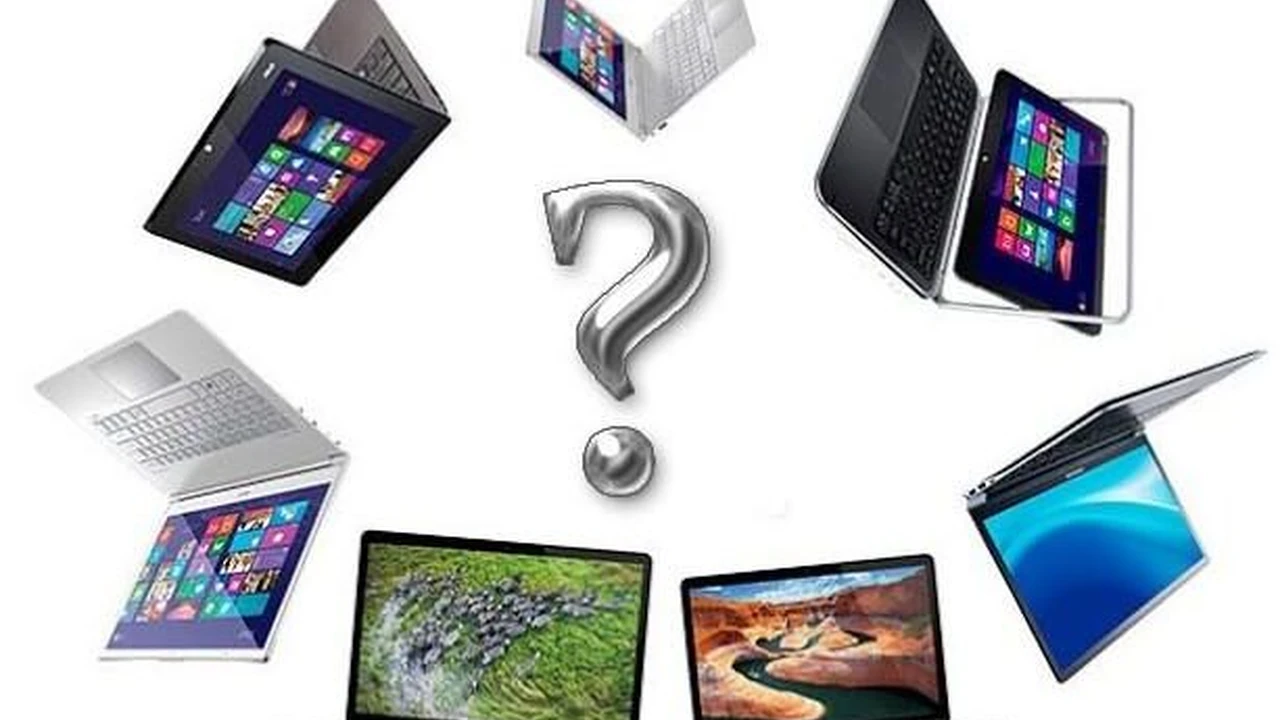
A comprehensive guide on selecting the perfect laptop. Consider factors like processor, RAM, storage, and screen size for your next purchase.
How to Choose the Right Laptop for Your Needs
Hey there! So, you're in the market for a new laptop, huh? It can feel like a jungle out there with so many options, specs, and brands vying for your attention. Don't sweat it! This guide is designed to cut through the noise and help you pinpoint exactly what you need. We'll break down the key factors, recommend some great models for different uses, and even talk about pricing so you can make an informed decision, whether you're in the US or Southeast Asia.
Understanding Your Laptop Usage Scenarios
Before we dive into the nitty-gritty of specifications, let's figure out what you'll actually be doing with your laptop. This is probably the most crucial step because it dictates everything else. Are you a student, a professional, a gamer, or someone who just needs a device for browsing and emails? Your answer will significantly narrow down your choices.
For Students and Everyday Users: Balancing Portability and Affordability
If your main tasks involve web browsing, word processing, streaming videos, and light photo editing, you don't need a powerhouse. What you'll want is something reliable, portable, and budget-friendly. Battery life is often a big deal here, especially for students who are moving between classes or studying in cafes.
- Key Considerations: Portability, battery life, price, basic performance.
- Recommended Specs: Intel Core i3/i5 or AMD Ryzen 3/5, 8GB RAM, 256GB SSD.
- Example Products:
- Acer Aspire 5: Often found for around $500-$700. It's a solid all-rounder with decent performance for everyday tasks and a comfortable keyboard. Great value for money.
- Lenovo IdeaPad Flex 5: Priced similarly, this 2-in-1 offers versatility if you like the idea of a tablet mode. Good for note-taking and media consumption.
- Chromebooks (e.g., Acer Chromebook Spin 714): If you primarily work online and use cloud-based apps, a Chromebook is an excellent, often cheaper, option (around $400-$600). They boast fantastic battery life and are very secure.
For Business Professionals and Productivity: Performance and Security Features
Professionals often need more horsepower for multitasking, running demanding business applications, and handling large datasets. Security features, robust build quality, and good connectivity are also paramount. You'll likely be carrying this laptop around, so a balance between performance and portability is key.
- Key Considerations: Strong processor, ample RAM, fast storage, security features (fingerprint reader, TPM), good webcam, robust build.
- Recommended Specs: Intel Core i5/i7 or AMD Ryzen 5/7, 16GB RAM, 512GB SSD or more.
- Example Products:
- Dell XPS 13/15: Starting around $1000-$1500, these are premium choices known for their stunning displays, excellent build quality, and strong performance. The XPS 15 offers more power for demanding tasks.
- Lenovo ThinkPad X1 Carbon: A business legend, typically $1200-$1800. Unbeatable keyboard, enterprise-grade security, and incredibly durable. Perfect for road warriors.
- Apple MacBook Air M2/M3: If you're in the Apple ecosystem, the MacBook Air (around $1000-$1300) offers incredible battery life, silent operation, and fantastic performance for most professional tasks, especially with the M-series chips.
For Creative Professionals and Content Creators: Powering Demanding Software
Video editors, graphic designers, 3D artists, and music producers need serious muscle. This means powerful processors, dedicated graphics cards, lots of RAM, and fast, spacious storage. A high-resolution, color-accurate display is also non-negotiable. These machines are often less portable and come with a higher price tag.
- Key Considerations: High-end processor, dedicated GPU, 16GB+ RAM, large and fast SSD, high-resolution/color-accurate display.
- Recommended Specs: Intel Core i7/i9 or AMD Ryzen 7/9, NVIDIA RTX or AMD Radeon dedicated GPU, 32GB RAM (or more), 1TB NVMe SSD.
- Example Products:
- Apple MacBook Pro 14-inch/16-inch (M3 Pro/Max): Starting from $1600-$2500+, these are powerhouses for creative work. The M-series chips offer unparalleled performance and efficiency for video editing, graphic design, and more. The displays are also top-notch.
- Dell XPS 15/17 (with dedicated GPU): When configured with a dedicated NVIDIA RTX GPU, the XPS 15/17 (starting around $1500-$2000+) becomes a formidable machine for creative tasks, offering a great Windows alternative to the MacBook Pro.
- Razer Blade 16/18: While often marketed to gamers, Razer Blade laptops (typically $2000-$3500+) are also fantastic for creators due to their powerful GPUs, high-refresh-rate displays, and sleek designs.
For Gamers: Maximizing Frames Per Second and Immersive Experiences
Gamers prioritize raw performance, especially in the graphics department. High-refresh-rate displays, powerful GPUs, efficient cooling systems, and customizable RGB lighting are common features. Portability might take a backseat to sheer power.
- Key Considerations: Powerful dedicated GPU, high-refresh-rate display (120Hz+), strong processor, efficient cooling, ample RAM.
- Recommended Specs: Intel Core i7/i9 or AMD Ryzen 7/9, NVIDIA RTX 4060/4070/4080/4090 or AMD Radeon RX 7000 series, 16GB RAM (or more), 512GB NVMe SSD (or more).
- Example Products:
- ASUS ROG Zephyrus G14/G16: Excellent balance of performance and portability, often starting around $1300-$2000. Great for gamers who also need to carry their laptop around.
- Lenovo Legion Pro 7i/5i: Known for their strong performance, excellent cooling, and competitive pricing, typically $1500-$2500+. A favorite among serious gamers.
- Razer Blade 16/18: As mentioned for creators, these are also top-tier gaming laptops (starting $2000-$3500+) with premium build quality and powerful components.
Key Laptop Components and What They Mean for You
Now that you have an idea of your usage, let's break down the core components. Don't worry, we'll keep it simple!
Processor CPU The Brain of Your Laptop
The CPU (Central Processing Unit) is like the brain. It handles all the calculations and instructions. The faster the CPU, the quicker your laptop can perform tasks.
- Intel Core i3/i5/i7/i9: Generally, the higher the number, the more powerful it is.
- i3: Good for basic tasks (browsing, email, word processing).
- i5: Great for everyday use, light multitasking, and some more demanding applications. A sweet spot for most users.
- i7: Excellent for heavy multitasking, content creation, and gaming.
- i9: Top-tier performance for professional content creation, high-end gaming, and scientific computing.
- AMD Ryzen 3/5/7/9: AMD's equivalent series, offering competitive performance.
- Ryzen 3/5: Comparable to Intel i3/i5 for general use.
- Ryzen 7/9: Strong contenders for gaming and creative work, often offering great multi-core performance.
- Apple M-series (M1, M2, M3, M3 Pro, M3 Max): Apple's custom chips are incredibly powerful and efficient, especially for tasks optimized for macOS. They offer fantastic performance per watt, leading to excellent battery life.
RAM Random Access Memory Multitasking Power
RAM is your laptop's short-term memory. The more RAM you have, the more applications you can run simultaneously without your laptop slowing down.
- 8GB RAM: Minimum for comfortable everyday use and light multitasking.
- 16GB RAM: Recommended for most users, especially professionals, students running multiple apps, and light gamers. It's the sweet spot for performance and value.
- 32GB RAM or more: Essential for heavy content creation (video editing, 3D rendering), high-end gaming, and users running virtual machines or complex simulations.
Storage SSD vs HDD Speed and Capacity
This is where your operating system, programs, and files are stored. There are two main types:
- SSD (Solid State Drive):
- Pros: Much faster than HDDs, leading to quicker boot times, faster application loading, and overall snappier performance. More durable as they have no moving parts.
- Cons: More expensive per gigabyte than HDDs.
- Recommendation: Always go for an SSD if your budget allows. NVMe SSDs are even faster than traditional SATA SSDs.
- Capacity: 256GB is a minimum for basic users, 512GB is good for most, and 1TB+ is ideal for content creators and gamers.
- HDD (Hard Disk Drive):
- Pros: Cheaper for large capacities.
- Cons: Much slower, less durable, and noisier.
- Recommendation: Only consider an HDD if you need massive storage on a tight budget, and even then, try to get a laptop with a smaller SSD for the operating system and a larger HDD for data.
Graphics Card GPU Visual Performance
The GPU (Graphics Processing Unit) handles everything visual, from rendering your desktop to playing games and editing videos.
- Integrated Graphics: Built into the CPU (e.g., Intel Iris Xe, AMD Radeon Graphics).
- Pros: Consumes less power, cheaper.
- Cons: Not powerful enough for demanding games or professional creative software.
- Recommendation: Fine for everyday use, streaming, and light photo editing.
- Dedicated Graphics Card: A separate, more powerful chip with its own memory (e.g., NVIDIA GeForce RTX, AMD Radeon RX).
- Pros: Essential for gaming, video editing, 3D rendering, and other graphically intensive tasks.
- Cons: More expensive, consumes more power, generates more heat.
- Recommendation: A must-have for gamers and creative professionals. The higher the model number (e.g., RTX 4060 vs 4080), the more powerful it is.
Display Screen Size and Quality
The display is your window to the digital world. Consider these factors:
- Size:
- 13-14 inches: Excellent portability, ideal for students and frequent travelers.
- 15-16 inches: The most common size, offering a good balance of screen real estate and portability. Great for most users.
- 17 inches and above: Best for desktop replacements, gamers, and creative professionals who need maximum screen space and don't move their laptop often.
- Resolution:
- 1920x1080 (Full HD/1080p): Standard and perfectly adequate for most users.
- 2560x1440 (QHD/2K) or 3840x2160 (4K/UHD): Offers sharper images and more screen real estate, great for creative work and immersive gaming, but consumes more battery.
- Panel Type:
- IPS: Offers wide viewing angles and good color accuracy, ideal for most users and creative work.
- OLED: Provides incredible contrast, true blacks, and vibrant colors. Premium option, great for media consumption and creative work, but can be more expensive.
- Refresh Rate:
- 60Hz: Standard for most laptops.
- 120Hz, 144Hz, 240Hz+: Essential for gamers for smoother gameplay.
Battery Life Staying Powered On the Go
How long do you need your laptop to last away from an outlet? This is crucial for students, travelers, and anyone working remotely.
- Factors: Battery size (measured in Watt-hours - Wh), screen brightness, CPU/GPU power, and usage patterns.
- Recommendation: Look for laptops with 8+ hours of real-world battery life for good portability. Apple MacBooks with M-series chips are currently industry leaders in this regard.
Operating System Your Digital Environment
The OS dictates your software compatibility and user experience.
- Windows: The most popular OS, offering the widest software and hardware compatibility. Great for gaming, business, and general use.
- macOS: Known for its user-friendly interface, strong security, and excellent integration with Apple's ecosystem. Preferred by many creative professionals.
- ChromeOS: Lightweight, fast, and secure. Ideal for web-centric tasks, students, and users who primarily work in the cloud.
Ports and Connectivity Staying Connected
Don't overlook the ports! You'll need to connect peripherals, external displays, and charge your devices.
- USB-A: For older peripherals like mice, keyboards, and flash drives.
- USB-C/Thunderbolt: Versatile ports for charging, data transfer, and connecting external displays. Thunderbolt offers even faster speeds.
- HDMI: For connecting to external monitors or TVs.
- SD Card Reader: Useful for photographers and videographers.
- Headphone Jack: Still important for many, though some thinner laptops are ditching it.
- Wi-Fi 6/6E: For faster and more reliable wireless internet.
- Bluetooth: For connecting wireless headphones, mice, and other accessories.
Budgeting for Your New Laptop Pricing Tiers
Laptop prices can range from a few hundred dollars to several thousand. Here's a general breakdown:
- Under $500: Entry-level laptops, often Chromebooks or basic Windows machines. Good for light tasks, students on a tight budget. Expect compromises on performance, build quality, and screen.
- $500 - $1000: Mid-range laptops. This is the sweet spot for most users, offering a good balance of performance, features, and build quality. You can find solid everyday laptops, some decent productivity machines, and even entry-level gaming laptops here.
- $1000 - $1500: Upper mid-range to premium. Here you'll find more powerful processors, better build materials, higher-resolution screens, and often dedicated GPUs. Excellent for professionals, serious students, and mid-range gamers.
- $1500+: High-end and premium laptops. This category includes powerful gaming rigs, professional workstations, and ultra-premium ultrabooks. Expect top-tier performance, stunning displays, and advanced features.
Tips for Buying Your Laptop Smart Shopping
- Read Reviews: Always check out professional reviews from reputable tech sites and user reviews on retail sites.
- Check for Sales: Major holidays (Black Friday, Cyber Monday, Prime Day) are great times to find deals.
- Consider Refurbished: Certified refurbished laptops from manufacturers or reputable retailers can save you a lot of money and often come with warranties.
- Test It Out: If possible, go to a store and try out the keyboard, trackpad, and screen. Ergonomics are important!
- Warranty and Support: Check the warranty period and what kind of customer support the brand offers. This can be a lifesaver if something goes wrong.
- Future-Proofing: While you don't need the absolute latest and greatest, investing a little more now can ensure your laptop remains capable for longer. Consider if you can upgrade RAM or storage later.
Specific Laptop Recommendations by Use Case and Price Point
Let's put it all together with some concrete examples, keeping in mind that prices fluctuate and new models are always coming out.
Best Laptops for Students and Everyday Use Under $700
- HP Pavilion Aero 13: Often around $600-$700. Incredibly lightweight (under 1kg!), good performance with AMD Ryzen 5/7, and a bright display. Perfect for carrying around campus.
- Lenovo IdeaPad Slim 7 Carbon: Sometimes on sale for $700-$900. Offers an amazing OLED display, solid performance, and a premium build for a surprisingly good price.
- Acer Swift 3: Typically $500-$650. A reliable workhorse with good battery life and a sturdy aluminum chassis.
Top Laptops for Professionals and Productivity $1000-$1800
- Dell XPS 13 Plus: Starting around $1300. A sleek, modern design with a powerful Intel Core i7, great display, and excellent portability.
- HP Spectre x360 14: Often $1200-$1600. A beautiful 2-in-1 convertible with a premium feel, great keyboard, and strong performance. Ideal for those who need flexibility.
- Apple MacBook Air M3: Starting at $1099. Unmatched battery life, silent operation, and fantastic performance for most professional tasks. If you're comfortable with macOS, it's a no-brainer.
Powerful Laptops for Creative Professionals $1800+
- Apple MacBook Pro 16-inch (M3 Pro/Max): Starting around $2499. The ultimate machine for video editing, 3D rendering, and graphic design on macOS. Incredible performance and battery life.
- Dell XPS 17: Configured with an RTX 4070, often $2000-$2800. A large, beautiful display, powerful Intel Core i9, and dedicated GPU make it a Windows powerhouse for creators.
- ASUS ProArt StudioBook 16: Prices vary widely based on configuration, but often $2000-$3500+. Specifically designed for creators with a color-accurate OLED display, powerful components, and unique features like a physical dial for creative apps.
High-Performance Gaming Laptops $1500+
- Razer Blade 14/16: Starting around $1800-$2500+. Premium build quality, powerful NVIDIA RTX GPUs, and high-refresh-rate displays in a relatively compact form factor.
- Alienware m18: Often $2000-$3500+. If you want maximum power and don't care about portability, this 18-inch beast offers top-tier components and excellent cooling for an uncompromised gaming experience.
- MSI Katana 15: A more budget-friendly gaming option, often $1000-$1500. Offers solid gaming performance with an RTX 4050/4060, making it a great entry point into serious gaming.
Choosing the right laptop doesn't have to be overwhelming. By understanding your needs, familiarizing yourself with the key components, and setting a realistic budget, you can confidently pick a device that will serve you well for years to come. Happy hunting!
:max_bytes(150000):strip_icc()/277019-baked-pork-chops-with-cream-of-mushroom-soup-DDMFS-beauty-4x3-BG-7505-5762b731cf30447d9cbbbbbf387beafa.jpg)