Best 2-in-1 Laptops for Versatility and Productivity
Explore the leading 2-in-1 laptops that combine tablet portability with laptop power. Ideal for creative professionals and students.
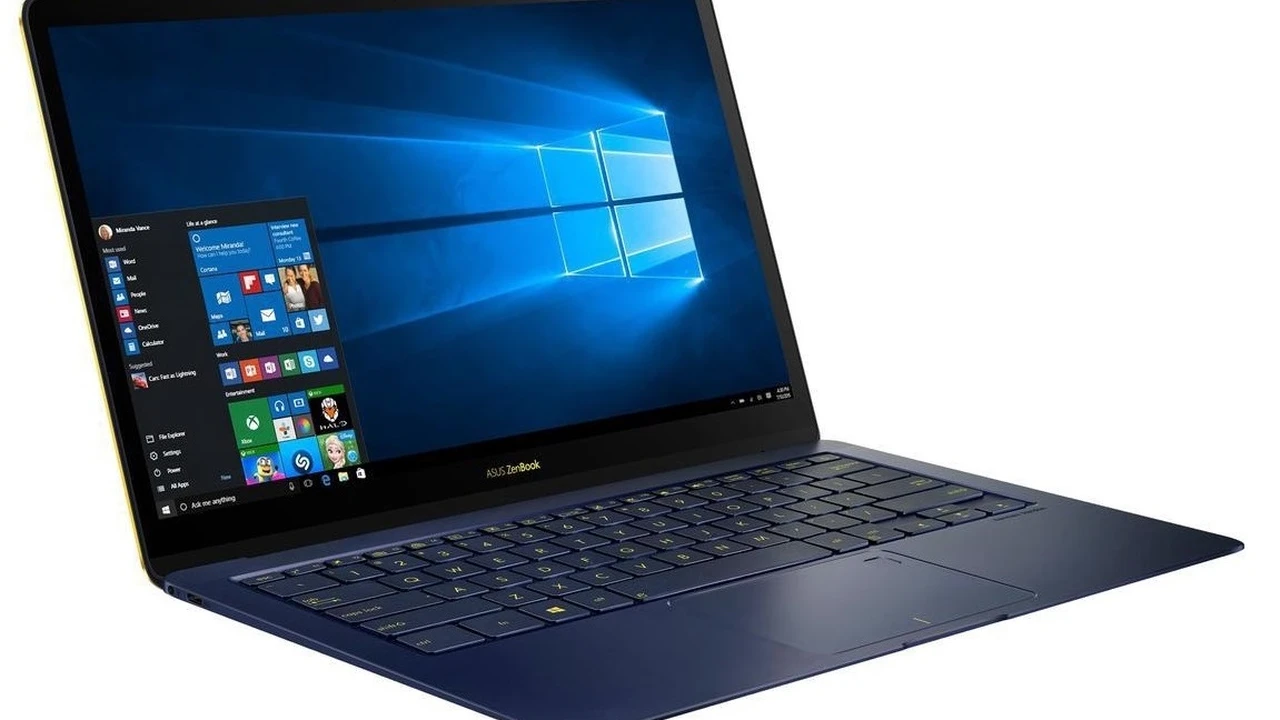
Explore the leading 2-in-1 laptops that combine tablet portability with laptop power. Ideal for creative professionals and students.
Best 2-in-1 Laptops for Versatility and Productivity
Hey everyone! If you're anything like me, you're always looking for that perfect device that can do it all. You know, something that's as powerful as a laptop when you need to get serious work done, but also as flexible and portable as a tablet for when you're chilling on the couch or sketching out ideas. Well, guess what? 2-in-1 laptops are exactly that sweet spot! They've really come a long way, offering incredible versatility for students, creative pros, business folks, and even just everyday users who want more bang for their buck.
These hybrid devices are designed to adapt to your needs, whether you're typing up a storm, presenting a project, watching a movie, or doodling with a stylus. But with so many options out there, how do you pick the right one? That's where I come in! We're going to dive deep into what makes a great 2-in-1, look at some of the top contenders, compare their features, and help you figure out which one is your perfect match. Let's get started!
Understanding 2-in-1 Laptops What Makes Them Special
So, what exactly is a 2-in-1 laptop? Basically, it's a computer that can function both as a traditional laptop and a tablet. This dual functionality is usually achieved in one of two ways: either through a convertible design with a hinge that allows the screen to fold back 360 degrees, or a detachable design where the screen completely separates from the keyboard. Both styles offer unique advantages, and your choice often comes down to how you plan to use the device most often.
Convertible 2-in-1 Laptops The Flexible Workhorse
Convertible 2-in-1s are probably what most people picture when they think of these devices. They look like regular laptops, but their screens can flip all the way around. This allows for several modes:
- Laptop Mode: Just like a standard laptop for typing and productivity.
- Tablet Mode: Fold the keyboard all the way back, and you've got a thick tablet. Great for browsing, reading, or drawing.
- Tent Mode: Stand it up like a tent. Perfect for watching movies or giving presentations without the keyboard getting in the way.
- Stand Mode: Keyboard face down, screen angled up. Another good option for media consumption or touch-based tasks.
The main benefit here is that the keyboard is always attached, so you never have to worry about losing it or carrying it separately. They tend to be more stable on your lap too.
Detachable 2-in-1 Laptops The Portable Powerhouse
Detachable 2-in-1s, on the other hand, are essentially tablets that come with a keyboard attachment. Think Microsoft Surface Pro. The screen is the main unit, housing all the components, and the keyboard usually connects magnetically. This design makes them incredibly lightweight and thin when used as a tablet, offering a true tablet experience.
- Tablet Mode: The primary mode, super portable and lightweight.
- Laptop Mode: Attach the keyboard cover, and you're ready to type.
These are fantastic if portability is your absolute top priority and you want a device that feels more like a tablet for casual use, but can still transform into a productivity machine when needed. The downside? The keyboard often needs to be purchased separately, and they might not be as stable on your lap as a convertible.
Key Features to Consider When Buying a 2-in-1 Laptop for Students and Professionals
Alright, now that we know the types, let's talk about what really matters when you're shopping for one of these versatile machines. This isn't just about picking the prettiest one; it's about finding the right tool for your specific needs, whether you're a student juggling assignments or a professional on the go.
Performance and Processing Power CPU RAM Storage
This is the brain of your 2-in-1. For most users, an Intel Core i5 or AMD Ryzen 5 processor will be more than enough for everyday tasks, web browsing, and even some light photo editing. If you're a creative professional dealing with video editing, graphic design, or heavy multitasking, you'll want to aim for an Intel Core i7/i9 or AMD Ryzen 7/9. As for RAM, 8GB is the minimum for smooth multitasking, but 16GB is highly recommended for a snappier experience, especially if you keep a lot of tabs open or use demanding software. Storage-wise, always go for an SSD (Solid State Drive) over an HDD. They're much faster and more durable. 256GB is a good starting point, but 512GB or 1TB will give you more breathing room for files and applications.
Display Quality and Touchscreen Experience Screen Size Resolution
Since you'll be interacting with the screen a lot, this is super important. Look for a vibrant display with good color accuracy. Full HD (1920x1080) resolution is standard and looks great on most screen sizes. If you're into graphic design or just appreciate crisp visuals, consider 2K or 4K displays, but be aware they can impact battery life. A responsive touchscreen is non-negotiable, and support for a stylus (often sold separately) is a huge plus for note-taking, drawing, or annotating documents. Screen sizes typically range from 13 to 15 inches, with 13.3 or 14 inches being a popular sweet spot for portability and usability.
Battery Life for On-the-Go Productivity
What's the point of a portable device if it dies on you halfway through the day? Aim for at least 8-10 hours of real-world battery life. Manufacturers' claims are often based on ideal conditions, so always check reviews for actual usage times. Longer battery life means less searching for power outlets, which is a huge win for students moving between classes or professionals traveling for work.
Portability and Build Quality Weight Materials
A 2-in-1 should be easy to carry around. Look for models that weigh under 3.5 pounds (around 1.6 kg). The build quality is also crucial; you want something that feels sturdy and can withstand daily wear and tear. Premium materials like aluminum or magnesium alloy not only look good but also add to durability. Check the hinge mechanism on convertibles – it should feel robust and smooth.
Keyboard and Trackpad Comfort and Precision
Even though it's a 2-in-1, you'll still be doing a lot of typing. A comfortable keyboard with good key travel and backlighting is essential, especially if you type for long periods. The trackpad should be precise and responsive, supporting multi-touch gestures. For detachable models, pay attention to how stable the keyboard attachment is and if it feels comfortable to type on.
Stylus Support and Pen Experience Digital Art Note Taking
Many 2-in-1s shine when paired with a stylus. If you plan on taking handwritten notes, sketching, or doing digital art, make sure the device supports an active stylus and offers good pressure sensitivity. Some models even include the stylus in the box, while others sell it separately. Check for features like tilt support and low latency for a more natural writing and drawing experience.
Connectivity Options USB C HDMI Thunderbolt
Modern connectivity is key. Look for USB-C ports, ideally with Thunderbolt 3 or 4 support for fast data transfer, external display connectivity, and charging. Standard USB-A ports are still useful for older peripherals. An HDMI port is a bonus for direct connection to monitors or projectors, though USB-C adapters are common. Wi-Fi 6 or 6E and Bluetooth 5.0 or higher ensure fast and reliable wireless connections.
Top 2-in-1 Laptop Recommendations for 2024
Alright, let's get to the good stuff! Based on performance, features, and overall value, here are some of the best 2-in-1 laptops you can get your hands on right now. I'll break down why they're great and who they're best for.
Dell XPS 13 2-in-1 The Premium Powerhouse
The Dell XPS line is legendary for a reason, and their 2-in-1 is no exception. This is a premium device that screams quality. It's incredibly sleek, lightweight, and boasts a stunning display. It's a convertible, so you get that sturdy hinge and multiple modes.
- Key Features: Gorgeous 13.4-inch InfinityEdge display (often available in FHD+ or 3.5K OLED), powerful Intel Core i5/i7 processors (12th or 13th Gen), up to 32GB RAM, up to 1TB SSD, excellent build quality with aluminum chassis, comfortable keyboard, and good battery life.
- Use Cases: Perfect for business professionals, students who need a reliable and stylish machine, and anyone who values a premium experience. Great for productivity, presentations, and media consumption.
- Comparison: Often compared to the MacBook Air for its premium feel and performance, but with the added flexibility of a 2-in-1 design and Windows OS. It offers a more traditional laptop experience than a detachable like the Surface Pro.
- Price Range: Typically starts around $1,200 - $1,500 USD, going up to $2,000+ for higher configurations.
Microsoft Surface Pro 9 The Detachable Dream Machine
If you're leaning towards a detachable 2-in-1, the Surface Pro 9 is arguably the gold standard. It's essentially a powerful tablet that transforms into a laptop with its excellent (though often separate) Type Cover keyboard. Microsoft has really refined this design over the years.
- Key Features: 13-inch PixelSense Flow display with 120Hz refresh rate, choice of Intel Evo (12th Gen Core i5/i7) or Microsoft SQ3 (ARM-based) processors, up to 32GB RAM, up to 1TB SSD, excellent front and rear cameras, integrated kickstand, and fantastic pen support with the Surface Slim Pen 2.
- Use Cases: Ideal for artists, designers, students who take a lot of handwritten notes, and professionals who need ultimate portability. The ARM version offers incredible battery life and optional 5G connectivity.
- Comparison: Directly competes with the iPad Pro but runs full Windows, offering more software compatibility. It's more tablet-first than the convertible XPS 13 2-in-1.
- Price Range: Starts around $1,000 - $1,100 USD (device only), with the Type Cover and Pen adding another $200-$300. Higher configurations can reach $2,500+.
HP Spectre x360 14 The Stylish All-Rounder
The HP Spectre x360 14 is a stunner, both in looks and performance. It's a convertible 2-in-1 that offers a fantastic balance of style, power, and features, often including an OLED display option and a bundled stylus.
- Key Features: Beautiful 13.5-inch 3:2 aspect ratio display (often OLED), Intel Core i5/i7 processors (12th or 13th Gen), up to 16GB RAM, up to 1TB SSD, premium gem-cut design, excellent keyboard, good port selection (including Thunderbolt 4), and often comes with an HP Tilt Pen.
- Use Cases: Great for creative professionals, business users, and anyone who wants a premium, versatile laptop that stands out. Excellent for media consumption, light gaming, and productivity.
- Comparison: A strong competitor to the Dell XPS 13 2-in-1, often offering a more distinctive design and sometimes better value with bundled accessories. Its 3:2 aspect ratio screen is fantastic for productivity.
- Price Range: Typically starts around $1,200 - $1,400 USD, going up to $1,800+ for higher-end configurations.
Lenovo Yoga 7i 16 The Budget-Friendly Big Screen Option
If you're looking for a larger screen and solid performance without breaking the bank, the Lenovo Yoga 7i 16 is a fantastic choice. It's a convertible that offers a lot of screen real estate for productivity and entertainment.
- Key Features: Large 16-inch FHD+ display, Intel Core i5/i7 processors (12th or 13th Gen), up to 16GB RAM, up to 1TB SSD, comfortable keyboard with a numpad, good port selection, and decent battery life.
- Use Cases: Ideal for students or professionals who need a larger screen for multitasking, spreadsheets, or media consumption, but still want the flexibility of a 2-in-1. Great for home use or as a primary work machine.
- Comparison: Offers a larger screen than most premium 2-in-1s at a more accessible price point. While not as sleek as the Spectre or XPS, it delivers strong performance for its cost.
- Price Range: Starts around $800 - $1,000 USD, with higher configurations reaching $1,300+.
Acer Chromebook Spin 714 The ChromeOS Convertible
For those who live in the cloud and prioritize simplicity, security, and long battery life, a Chromebook 2-in-1 is an excellent option. The Acer Chromebook Spin 714 is one of the best in this category.
- Key Features: 14-inch FHD+ touchscreen display, Intel Core i3/i5/i7 processors (12th or 13th Gen), up to 8GB RAM, up to 256GB SSD, excellent build quality, fantastic battery life (often 10+ hours), and full access to Android apps.
- Use Cases: Perfect for students, casual users, and anyone who primarily uses web-based applications. Great for browsing, email, Google Workspace, and light productivity.
- Comparison: Offers a much simpler and often more secure operating system than Windows laptops. While not as powerful for demanding software, its speed and battery life for web-based tasks are outstanding.
- Price Range: Typically starts around $500 - $700 USD, making it a very budget-friendly option.
Real-World Scenarios How 2-in-1 Laptops Enhance Your Life
Let's talk about how these amazing devices actually fit into your daily grind. It's not just about specs; it's about how they make your life easier and more productive.
For the Busy Student Note Taking and Research
Imagine this: you're in a lecture, quickly typing notes in laptop mode. Then, the professor pulls up a complex diagram. Flip it into tablet mode, grab your stylus, and annotate directly on the screen! No more printing out slides or trying to sketch with a mouse. When it's time for group projects, tent mode is perfect for sharing your screen with classmates. And for late-night study sessions, the portability means you can easily move from your desk to the common room or even your bed without missing a beat. The Microsoft Surface Pro 9 or HP Spectre x360 14 would be fantastic here, especially with their excellent pen support.
For the Creative Professional Sketching and Design
Artists and designers, listen up! A 2-in-1 with a high-resolution, color-accurate display and a responsive stylus is a game-changer. You can sketch directly on the screen with natural pen strokes, just like you would on paper. Then, flip it back to laptop mode to run your full-fledged design software like Adobe Photoshop or Illustrator. The Dell XPS 13 2-in-1 or HP Spectre x360 14, especially with an OLED screen, would be a dream for visual work. The Surface Pro 9 is also a strong contender, offering a true digital canvas experience.
For the On-the-Go Business User Presentations and Travel
Traveling for work? A lightweight 2-in-1 means you're not lugging around a heavy laptop and a separate tablet. In the airport, use it in tablet mode to catch up on emails or read reports. In a client meeting, switch to tent or stand mode for an impressive presentation, using the touchscreen to highlight key points. The Dell XPS 13 2-in-1 or Microsoft Surface Pro 9 (especially the 5G version) are perfect for professionals who need to stay connected and productive anywhere.
For Everyday Home Use Media Consumption and Browsing
Even if you're not a student or a professional, a 2-in-1 offers incredible convenience at home. Want to watch a movie in bed? Tablet mode is your friend. Need to quickly look up a recipe in the kitchen? Tent mode keeps the keyboard out of the way and the screen visible. Browsing the web, checking social media, or video calls with family are all more intuitive with a touchscreen. The Lenovo Yoga 7i 16 offers a great big screen for media, while the Acer Chromebook Spin 714 is perfect for casual browsing and streaming.
Maximizing Your 2-in-1 Experience Essential Accessories and Tips
Getting the right 2-in-1 is just the first step. To truly unlock its potential, you might want to consider a few accessories and adopt some smart habits.
Stylus Pen The Ultimate Productivity Tool
If your 2-in-1 supports an active stylus, get one! Seriously, it transforms the device. Whether it's for taking notes, marking up PDFs, sketching, or even just navigating with more precision, a good stylus like the Surface Slim Pen 2 or HP Tilt Pen is invaluable. Look for features like pressure sensitivity, tilt support, and low latency for the best experience.
Portable Monitor Expand Your Workspace
Even with a great screen, sometimes you just need more space. A portable monitor that connects via USB-C can turn your 2-in-1 into a dual-screen powerhouse, perfect for multitasking at a coffee shop or in a hotel room. They're lightweight and easy to carry, making them a fantastic addition for productivity.
Protective Sleeve or Case Keep It Safe
Since you'll be carrying your 2-in-1 around a lot, a good protective sleeve or case is a must. It'll shield your device from scratches, bumps, and minor drops, preserving its sleek look and functionality. For detachable models, a sturdy keyboard cover often doubles as protection.
Power Bank for Extended Battery Life
While 2-in-1s generally have good battery life, a high-capacity USB-C power bank can be a lifesaver on long travel days or when you're away from an outlet. Make sure it supports Power Delivery (PD) to charge your laptop efficiently.
Ergonomic Mouse and Keyboard for Desk Work
When you're at your desk for extended periods, connecting an external ergonomic mouse and keyboard can significantly improve comfort and productivity. This allows you to position your screen at eye level and maintain a healthier posture, especially if you're using your 2-in-1 as your primary workstation.
The Future of 2-in-1 Laptops Innovations and Trends
The world of tech never stands still, and 2-in-1s are constantly evolving. We're seeing some exciting trends that promise even more versatility and power.
Better Processors and Graphics Performance
New generations of Intel and AMD processors are bringing more power-efficient performance, meaning faster speeds and longer battery life. Integrated graphics are also getting much better, allowing for more capable gaming and creative work without needing a dedicated GPU.
Improved Displays OLED and Higher Refresh Rates
OLED displays are becoming more common, offering incredible contrast, vibrant colors, and true blacks. Higher refresh rates (like 90Hz or 120Hz) are also making their way into more models, resulting in smoother scrolling and a more fluid visual experience, especially noticeable with stylus input.
Thinner Lighter and More Durable Designs
Manufacturers are continually pushing the boundaries of design, making 2-in-1s even thinner and lighter without sacrificing durability. We're seeing more innovative hinge designs and robust materials that can withstand the rigors of daily use.
Enhanced AI Features and Software Integration
AI is being integrated into everything, and 2-in-1s are no exception. Expect smarter voice assistants, improved camera features (like automatic framing during video calls), and AI-powered performance optimization that adapts to your usage patterns. Software like Windows 11 is also designed to make the tablet experience more seamless.
5G Connectivity for Always-On Access
Just like smartphones, more 2-in-1s are offering optional 5G connectivity. This means you can stay connected to the internet virtually anywhere, without relying on Wi-Fi hotspots or tethering your phone. It's a huge plus for professionals and students who need constant access to online resources.
So there you have it! 2-in-1 laptops are incredibly versatile tools that can genuinely enhance your productivity and entertainment. Whether you're a student needing a flexible study companion, a creative professional looking for a digital canvas, or a business user who needs power and portability, there's a 2-in-1 out there for you. Remember to consider your primary use cases, prioritize the features that matter most to you, and don't be afraid to invest in a good stylus. Happy computing!
:max_bytes(150000):strip_icc()/277019-baked-pork-chops-with-cream-of-mushroom-soup-DDMFS-beauty-4x3-BG-7505-5762b731cf30447d9cbbbbbf387beafa.jpg)