MacBook Air M3 vs Dell XPS 15 A Performance Battle
A detailed comparison of the MacBook Air M3 and Dell XPS 15. Which laptop offers superior performance and features for professionals?
A detailed comparison of the MacBook Air M3 and Dell XPS 15. Which laptop offers superior performance and features for professionals? Choosing the right laptop can feel like a monumental task, especially when you're a professional or a power user who demands top-tier performance, sleek design, and robust features. In today's competitive market, two names consistently rise to the top: Apple's MacBook Air M3 and Dell's XPS 15. Both are titans in their own right, each boasting a loyal following and a reputation for excellence. But when it comes down to a head-to-head performance battle, which one truly reigns supreme? Let's dive deep into every aspect, from raw processing power to user experience, to help you make an informed decision.
MacBook Air M3 vs Dell XPS 15 A Performance Battle
Understanding the Core Processors Apple M3 vs Intel and NVIDIA
At the heart of any laptop lies its processor, and this is where the MacBook Air M3 and Dell XPS 15 diverge significantly. Apple has fully embraced its custom-designed ARM-based silicon, with the M3 chip representing the latest iteration. Dell, on the other hand, sticks with the tried-and-true Intel processors, often paired with discrete NVIDIA graphics cards.
Apple M3 Chip Architecture and Performance
The Apple M3 chip is built on a 3-nanometer process, offering significant efficiency and performance gains over its predecessors. It integrates the CPU, GPU, Neural Engine, and unified memory onto a single system-on-a-chip (SoC). This tight integration allows for incredibly fast data transfer and optimized performance across all tasks. The M3 features an 8-core CPU (4 performance cores and 4 efficiency cores) and up to a 10-core GPU. This architecture excels in tasks that benefit from parallel processing, such as video editing, graphic design, and complex software compilation. For instance, when rendering a 4K video in Final Cut Pro, the M3 can leverage its dedicated media engines for lightning-fast exports. Its efficiency cores also mean exceptional battery life, even under moderate workloads.
Dell XPS 15 Intel Core Processors and NVIDIA GPUs
The Dell XPS 15 typically comes configured with the latest Intel Core i7 or i9 processors (e.g., 13th or 14th Gen Intel Core i7-13700H or i9-13900H). These are high-performance chips designed for demanding tasks. The 'H' series designation indicates a high-performance mobile processor, often found in gaming laptops and workstations. Crucially, the XPS 15 also offers discrete NVIDIA GeForce RTX GPUs (e.g., RTX 4050, RTX 4060). This dedicated graphics power is a game-changer for tasks like 3D rendering, CAD software, and, of course, gaming. While Intel's integrated graphics have improved, they simply cannot compete with a dedicated NVIDIA card for graphically intensive applications. For example, running Blender or AutoCAD will see a significant performance boost on the XPS 15 due to its NVIDIA GPU.
Performance Benchmarks and Real-World Scenarios
In synthetic benchmarks, the M3 often shows impressive single-core performance, and its multi-core scores are competitive, especially considering its power efficiency. However, for tasks that heavily rely on a discrete GPU, the XPS 15 with an RTX card will generally pull ahead. For creative professionals working with Adobe Premiere Pro, After Effects, or DaVinci Resolve, the XPS 15's combination of a powerful Intel CPU and NVIDIA GPU often translates to faster render times and smoother playback, particularly with complex effects and high-resolution footage. Developers compiling large codebases might find the M3's unified memory architecture beneficial, but the raw multi-core power of an Intel i9 can also be a strong contender. For everyday productivity, web browsing, and light photo editing, both laptops offer more than enough power, with the M3 often feeling snappier due to its optimized software and hardware integration.
Design and Build Quality Premium Aesthetics and Durability
Both the MacBook Air M3 and Dell XPS 15 are renowned for their premium design and build quality, but they approach aesthetics from slightly different angles.
MacBook Air M3 Iconic Aluminum Unibody
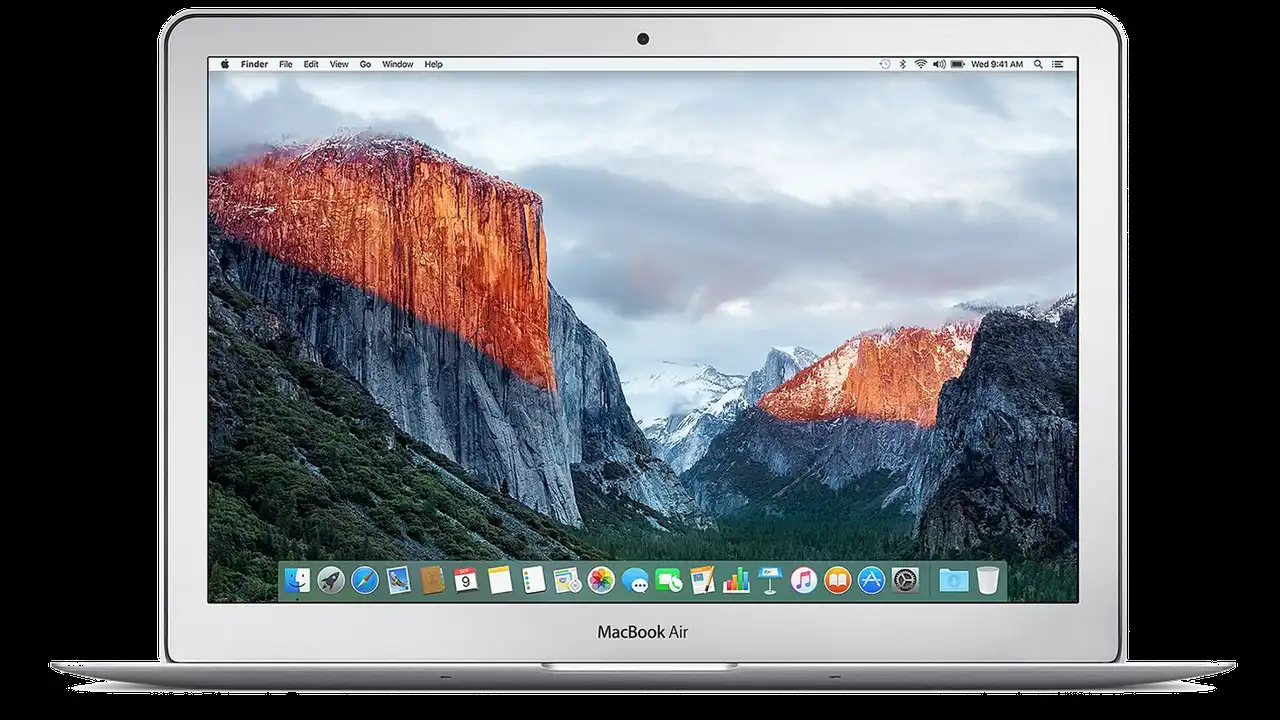
The MacBook Air M3 continues Apple's tradition of a sleek, minimalist aluminum unibody design. It's incredibly thin and light, making it highly portable. The build quality is exceptional, with no flex in the chassis and a premium feel. The Air M3 comes in various finishes, including Midnight, Starlight, Space Gray, and Silver. The fanless design (for the 13-inch model) means silent operation, which is a huge plus for quiet work environments. The keyboard is Apple's Magic Keyboard, known for its comfortable typing experience, and the Force Touch trackpad is arguably the best in the business, offering precise control and haptic feedback.
Dell XPS 15 Machined Aluminum and Carbon Fiber
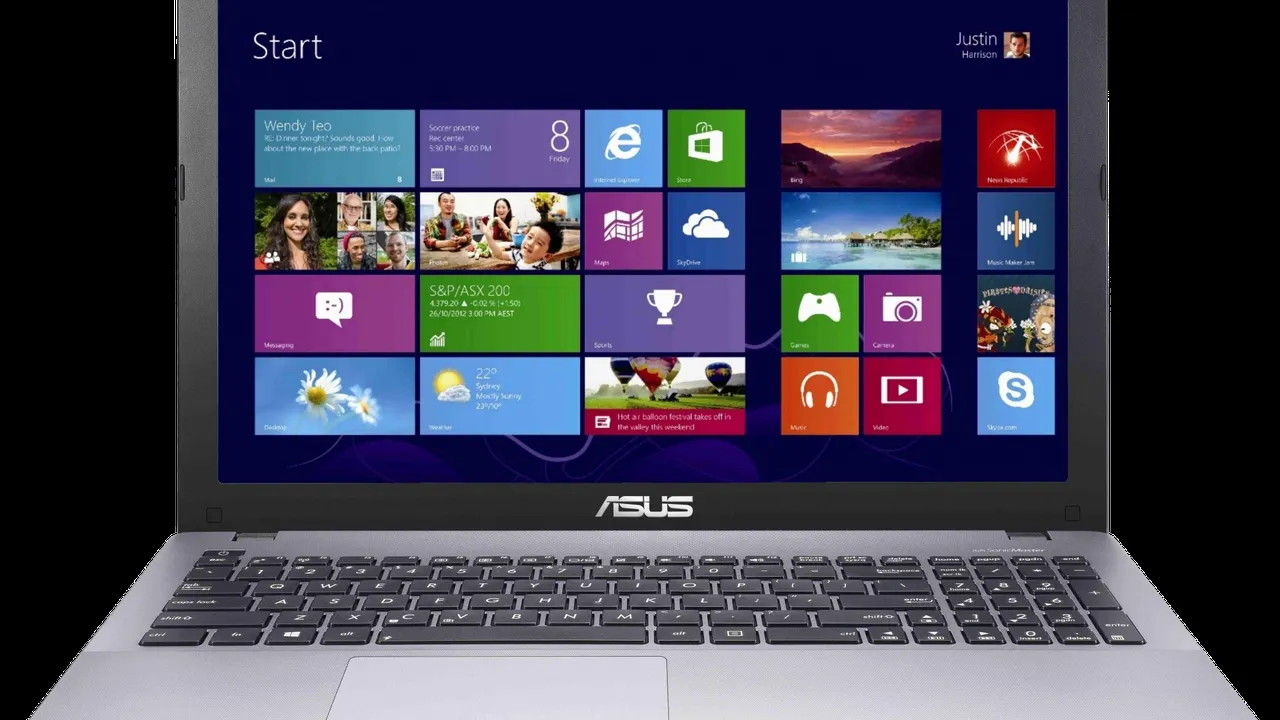
The Dell XPS 15 features a sophisticated design with a machined aluminum lid and base, complemented by a carbon fiber composite palm rest. This combination not only looks elegant but also provides a comfortable and cool surface for typing. The XPS 15 is slightly thicker and heavier than the MacBook Air M3, but it still maintains a relatively compact footprint for a 15-inch laptop. Dell's InfinityEdge display, with its incredibly thin bezels, is a standout feature, making the laptop feel more immersive. The keyboard offers good key travel and a satisfying click, and the large glass trackpad is smooth and responsive, though perhaps not quite on par with Apple's Force Touch.
Portability and Ergonomics for On-the-Go Professionals
For professionals who are constantly on the move, portability is key. The 13-inch MacBook Air M3 is significantly lighter (around 2.7 lbs or 1.24 kg) and thinner (0.44 inches or 1.13 cm) than the XPS 15 (around 4.2 lbs or 1.92 kg, and 0.71 inches or 1.8 cm). This makes the Air M3 a clear winner for those who prioritize extreme portability. However, the XPS 15, despite its larger size, still manages to be quite portable for a 15-inch laptop with discrete graphics. The larger screen real estate on the XPS 15 can be a significant advantage for productivity tasks, especially for users who don't always have access to an external monitor. Both offer excellent ergonomics for typing, though personal preference for keyboard feel will play a role.
Display Quality Visual Excellence for Creative Work
The display is a critical component for any professional, especially those in creative fields. Both laptops offer stunning visual experiences, but with different technologies and characteristics.
MacBook Air M3 Liquid Retina Display
The MacBook Air M3 features Apple's Liquid Retina display, which is an IPS panel. The 13-inch model has a resolution of 2560 x 1664 pixels, offering a sharp and vibrant image. It supports 1 billion colors and has a brightness of up to 500 nits. The display is color-calibrated at the factory, ensuring excellent color accuracy out of the box, which is crucial for photographers and video editors. While it doesn't offer a high refresh rate like some gaming laptops, the standard 60Hz is perfectly adequate for most productivity and creative tasks. The True Tone technology adjusts the color temperature based on ambient light, reducing eye strain.
Dell XPS 15 InfinityEdge OLED and IPS Options
The Dell XPS 15 offers more display options, catering to different needs and budgets. The standout option is the 3.5K (3456 x 2160) OLED InfinityEdge display. This panel delivers incredible contrast, true blacks, and vibrant colors, making it ideal for content consumption and creative work where color accuracy and depth are paramount. The OLED panel also typically has a faster response time. Dell also offers a Full HD+ (1920 x 1200) IPS display option, which is still excellent for general use and offers better battery life than the OLED. The XPS 15's thin bezels create a more immersive viewing experience, making the 15.6-inch screen feel even larger. The brightness can go up to 500 nits for the OLED and 400-500 nits for the IPS, depending on the configuration.
Color Accuracy and Brightness for Professionals
For professionals who rely on accurate color representation, both laptops are excellent choices. The MacBook Air M3's Liquid Retina display is factory-calibrated and covers the P3 wide color gamut, making it suitable for professional photo and video editing. The Dell XPS 15's OLED option, however, often surpasses it in terms of contrast and black levels, which can be particularly beneficial for HDR content creation and viewing. Both offer sufficient brightness for indoor use, and the anti-reflective coating on some XPS 15 models can be helpful in brighter environments. The choice here often comes down to whether you prioritize the extreme contrast of OLED or the consistent quality of Apple's IPS panel.
Battery Life and Charging Power Efficiency for All-Day Use
Battery life is a crucial factor for mobile professionals. Both laptops offer impressive endurance, but the M3's efficiency often gives it an edge.
MacBook Air M3 Unmatched Endurance
Thanks to the incredible power efficiency of the M3 chip, the MacBook Air M3 delivers outstanding battery life. Apple claims up to 18 hours of video playback and 15 hours of wireless web browsing for the 13-inch model. In real-world usage, users can easily expect a full day of work on a single charge, even with moderate to heavy use. This is a significant advantage for those who work remotely, travel frequently, or simply don't want to be tethered to a power outlet. The Air M3 charges via USB-C, and the 13-inch model supports fast charging with an optional 70W adapter, reaching 50% charge in about 30 minutes.
Dell XPS 15 Solid All-Day Power
The Dell XPS 15, with its more powerful Intel CPU and discrete GPU, naturally consumes more power. However, Dell has equipped it with a large 86Whr battery, which still provides solid endurance. Depending on the configuration (especially the display type), users can expect anywhere from 8 to 12 hours of mixed usage. The Full HD+ IPS display will yield better battery life than the 3.5K OLED option. While not quite matching the M3 Air's longevity, the XPS 15 still offers enough power for a typical workday. It charges via a proprietary barrel connector, though some models also support USB-C charging for convenience.
Charging Speeds and Power Adapters
Both laptops come with appropriate power adapters. The MacBook Air M3 typically includes a 30W or 35W dual USB-C port compact power adapter, with the option to upgrade to a 70W fast charger. The Dell XPS 15 usually comes with a 130W power adapter, necessary to power its more demanding components. While the Air M3 charges faster to 50% with the optional adapter, the XPS 15's larger battery and higher wattage charger mean it can also replenish its battery relatively quickly.
Connectivity and Ports Adapting to Your Workflow
Connectivity is vital for professionals who need to connect to various peripherals, external displays, and networks.
MacBook Air M3 Thunderbolt 3 and MagSafe
The MacBook Air M3 features two Thunderbolt / USB 4 ports, which offer incredible versatility. These ports support charging, DisplayPort, Thunderbolt 3 (up to 40Gb/s), and USB 4 (up to 40Gb/s). While powerful, the limited number of ports means many users will need a dongle or a USB-C hub for connecting multiple peripherals, external monitors, or older USB-A devices. It also includes a 3.5mm headphone jack and the convenient MagSafe 3 charging port, which magnetically attaches and detaches, preventing accidental pulls. For wireless connectivity, it supports Wi-Fi 6E and Bluetooth 5.3.
Dell XPS 15 Versatile Port Selection
The Dell XPS 15 offers a more generous and varied port selection. It typically includes two Thunderbolt 4 (USB-C) ports, one USB-C 3.2 Gen 2 port, a full-size SD card reader, and a 3.5mm headphone/microphone combo jack. Some configurations might also include a USB-A port via an adapter. The inclusion of an SD card reader is a huge plus for photographers and videographers. While it doesn't have MagSafe, the multiple USB-C ports offer flexibility. It also supports Wi-Fi 6E and Bluetooth 5.2, ensuring fast and reliable wireless connections.
External Display Support and Docking Solutions
The MacBook Air M3 supports one external display with up to 6K resolution at 60Hz. If you need to connect multiple external monitors, you'll need to look at the MacBook Pro models. The Dell XPS 15, with its Thunderbolt 4 ports and discrete GPU, can typically support multiple external displays, often up to two 4K displays or one 8K display, making it more suitable for multi-monitor setups. Both laptops can be easily integrated into a docking station setup for a desktop-like experience, though the XPS 15's native port selection might require fewer adapters.
Software and Ecosystem macOS vs Windows 11
The operating system is a fundamental part of the user experience, and here, you're choosing between two distinct ecosystems.
macOS Intuitive and Optimized
macOS is known for its intuitive interface, robust security features, and seamless integration with Apple's ecosystem of devices (iPhone, iPad, Apple Watch). The M3 chip is highly optimized for macOS, leading to exceptional performance and efficiency. Many creative applications, such as Final Cut Pro and Logic Pro, are exclusive to macOS and are highly optimized for Apple Silicon. The App Store offers a curated selection of applications, and the overall user experience is generally considered very polished. For users already invested in the Apple ecosystem, the MacBook Air M3 offers unparalleled synergy.
Windows 11 Versatility and Broad Software Support
Windows 11 offers unparalleled versatility and compatibility with a vast array of software and hardware. It's the dominant operating system in the business world and for PC gaming. The Dell XPS 15 runs Windows 11 Home or Pro, providing access to a massive software library, including specialized engineering, scientific, and gaming applications that might not be available or optimized for macOS. Windows also offers more customization options and greater control over the system. For users who need specific Windows-only software or prefer the open nature of the Windows ecosystem, the XPS 15 is the obvious choice.
Application Compatibility and Performance
While many popular applications are available on both platforms (e.g., Adobe Creative Suite, Microsoft Office), their performance can vary. Adobe applications have been optimized for Apple Silicon, but the XPS 15's discrete NVIDIA GPU can still give it an edge in certain tasks. For developers, tools like Docker and various programming environments are well-supported on both, though some specific development tools might have better native support on one platform over the other. Gaming is a clear win for the XPS 15, as Windows has a much larger library of AAA games and better hardware support for gaming peripherals.
Pricing and Configurations Value for Your Investment
Both laptops are premium devices, and their pricing reflects that. However, configurations and upgrade options can significantly impact the final cost.
MacBook Air M3 Pricing and Storage Options
The 13-inch MacBook Air M3 starts at around $1,099 for the base model with an 8-core CPU, 8-core GPU, 8GB of unified memory, and 256GB SSD. Upgrading to 16GB or 24GB of RAM and larger SSDs (up to 2TB) can quickly increase the price. For example, a 13-inch MacBook Air M3 with 16GB RAM and 512GB SSD might cost around $1,499. Apple's upgrades, especially for RAM and storage, tend to be more expensive than third-party options, and they are not user-upgradable after purchase. This means you need to carefully consider your future needs when configuring your MacBook Air.
Dell XPS 15 Configuration Flexibility and Price Range
The Dell XPS 15 offers a wider range of configurations, allowing for more customization. It typically starts around $1,499 for a base model with an Intel Core i7, 16GB RAM, 512GB SSD, and integrated graphics. Prices can go up significantly, often exceeding $2,500, for configurations with an Intel Core i9, 32GB or 64GB RAM, 1TB or 2TB SSD, and a powerful NVIDIA RTX 4060 GPU with the OLED display. Dell often has sales and promotions, which can make the XPS 15 a more attractive option. Unlike the MacBook Air, some components like RAM and SSD are often user-upgradable on the XPS 15, potentially saving money in the long run.
Long-Term Value and Resale Market
Both brands hold their value well, but Apple products generally have a stronger resale market. A well-maintained MacBook Air M3 will likely fetch a higher percentage of its original price compared to a similarly aged Dell XPS 15. However, the XPS 15's upgradability can extend its useful life, potentially offering better long-term value if you plan to keep and upgrade your laptop over several years. Consider the total cost of ownership, including potential upgrades and resale value, when making your decision.
Specific Product Recommendations and Use Cases
Let's break down specific recommendations based on common professional use cases.
For the Mobile Professional and Student
MacBook Air M3 (13-inch, 16GB RAM, 512GB SSD) - ~$1,499
- Use Case: Frequent travel, note-taking, presentations, web browsing, light photo/video editing, coding, general productivity.
- Why: Unmatched portability, exceptional battery life, silent operation, premium build, and a highly optimized macOS experience. The 16GB RAM ensures smooth multitasking, and 512GB SSD provides ample storage for documents and projects.
- Comparison: Lighter and thinner than the XPS 15, with superior battery life. Ideal for those who prioritize mobility and a fanless design.
For Creative Professionals (Video Editing, Graphic Design)
Dell XPS 15 (Intel Core i9, 32GB RAM, 1TB SSD, NVIDIA RTX 4060, 3.5K OLED Display) - ~$2,499 - $2,799
- Use Case: 4K video editing, 3D rendering, complex graphic design, CAD software, high-resolution photo editing, music production.
- Why: Powerful Intel i9 processor combined with a dedicated NVIDIA RTX 4060 GPU provides superior performance for graphically intensive tasks. The 3.5K OLED display offers incredible color accuracy and contrast, crucial for creative work. 32GB RAM and 1TB SSD ensure smooth workflow with large files.
- Comparison: Outperforms the MacBook Air M3 in tasks that heavily leverage a discrete GPU. The OLED display is a significant advantage for visual professionals. More versatile port selection.
For Developers and Engineers
Dell XPS 15 (Intel Core i7, 32GB RAM, 1TB SSD, NVIDIA RTX 4050, FHD+ Display) - ~$1,999 - $2,299
- Use Case: Software development, virtual machines, data analysis, machine learning (entry-level), engineering simulations.
- Why: The Intel Core i7 provides strong multi-core performance for compiling code and running VMs. 32GB RAM is essential for complex development environments. The NVIDIA RTX 4050 can accelerate certain machine learning tasks and provide a boost for GPU-intensive computations. The FHD+ display saves battery life while still offering a great visual experience.
- Comparison: Offers more raw CPU power and GPU acceleration for specific development tasks compared to the Air M3. Windows compatibility is often preferred for certain development tools and environments.
For General Productivity and Entertainment
MacBook Air M3 (13-inch, 8GB RAM, 256GB SSD) - ~$1,099
- Use Case: Web browsing, email, document creation, streaming media, light photo editing, casual gaming.
- Why: Excellent value for money, superb battery life, silent operation, and a premium user experience for everyday tasks. The base model is more than capable for general use.
- Comparison: More portable and better battery life than the base XPS 15. Offers a more polished and integrated ecosystem for casual users.
The Verdict Choosing Your Performance Champion
So, which laptop wins the performance battle? The answer, as often is the case, depends entirely on your specific needs and priorities.
Choose the MacBook Air M3 if
- You prioritize extreme portability, long battery life, and silent operation.
- Your workflow primarily involves general productivity, web browsing, light to moderate creative tasks (especially with Apple's optimized software like Final Cut Pro), and coding.
- You are deeply integrated into the Apple ecosystem and value the seamless experience across devices.
- You prefer macOS for its intuitive interface and robust security.
- You don't require a discrete GPU for heavy 3D rendering or high-end gaming.
Choose the Dell XPS 15 if
- You require a discrete NVIDIA GPU for demanding tasks like 4K+ video editing, 3D rendering, CAD, or serious gaming.
- You need a larger screen for productivity or immersive creative work, especially with the stunning OLED option.
- You prefer the Windows operating system for its versatility, broad software compatibility, and customization options.
- You need a more varied port selection, including an SD card reader.
- You appreciate the option for user-upgradable RAM and storage.
Both the MacBook Air M3 and Dell XPS 15 are phenomenal laptops that represent the pinnacle of their respective ecosystems. The MacBook Air M3 is a masterclass in efficiency, portability, and integrated performance, perfect for the mobile professional and creative who values a streamlined experience. The Dell XPS 15 is a powerhouse, offering raw performance and graphical prowess for the most demanding creative and technical workloads, all within a beautifully designed package. Your choice will ultimately come down to which set of strengths aligns best with your professional demands and personal preferences. Consider your daily tasks, the software you use, and your budget, and you'll find the perfect performance champion for your needs.
:max_bytes(150000):strip_icc()/277019-baked-pork-chops-with-cream-of-mushroom-soup-DDMFS-beauty-4x3-BG-7505-5762b731cf30447d9cbbbbbf387beafa.jpg)